
We are retiring our old event dashboard in favor of a new dashboard navigation on February 18th.
This only concerns the navigation for you as an organiser. All existing features are available in the new design. This article details where you can find all the pages you are used to.
When you are still using the old navigation, you will see a blue banner on your event pages. You can switch to the new navigation by clicking the button in the banner.
All features you are familiar with remain available. The reason for the new navigation is that additional functionalities are continuously being introduced and need to be accommodated within the dashboard. The new navigation provides the necessary structure and space for this.
In the new layout, you will find a menu on the left-hand side. This menu contains exactly the same elements as in the previous navigation.
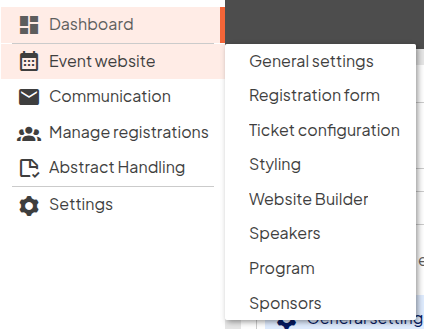
In addition, a number of frequently used features have been clearly placed on the dashboard as shortcuts: the Quick Actions. These include the functions you will use most often, such as the registration form, the Website Builder, and the messaging center.
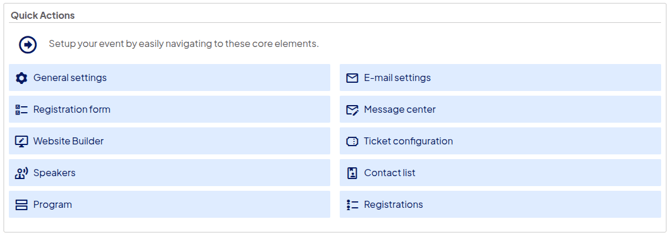
Some elements are located in a different place and the design has been updated, but the dashboard’s functionality remains unchanged.
Finally, we have added a number of useful insights about your event, making it easy to get a quick overview of its status. If you are using ticket sales, you can see at a glance how many tickets have been sold and how many registrations have been received so far.

We understand that a new navigation layout can take some getting used to. If you are looking for something and cannot find it right away, we are of course always ready to help. For any questions, you can always contact our support team.