
-
Go to Dashboard > Communication > Messages center.
-
Create a new announcement or open an existing one.
-
Compose your message as desired.
-
Add a button to your message.
-
Set the button link to Document: [name of your document ] .
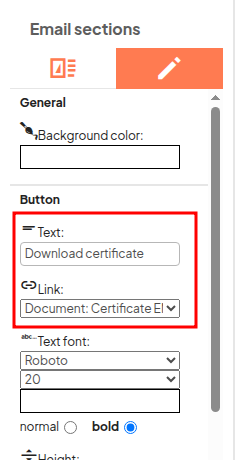
- Don't forget to edit the text displayed in the button.
-
Send the message to the desired participants.
When a participant clicks the button, the document will automatically be downloaded as a PDF. The document is personalized with the participant’s details.